Reconciliation
Open Reconciliation to check money moving between household accounts and card repayments. A transfer between your accounts is not a second household income or expense. This screen is not opening/closing bank-balance reconciliation.
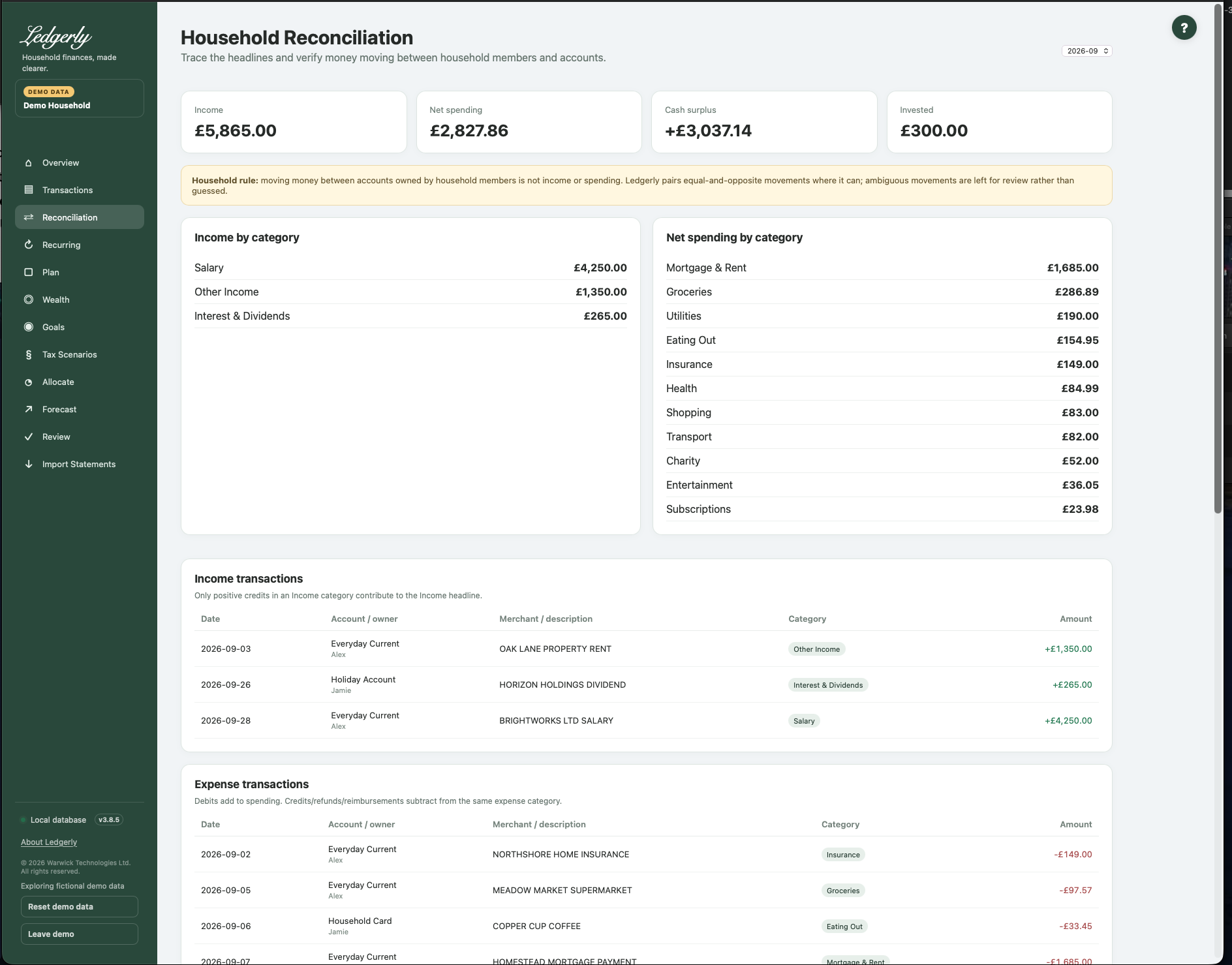
Controls and actions
Fields and choices
| Field | Defaults, required values and validation | What changes |
|---|---|---|
| Month selector | Latest imported month default | Filters reconciliation detail and candidate/confirmed transfer pairs |
| Confirm / Reject match | Existing match_id required; confirm_match or reject_match | Confirms learned account relationship or permanently rejects that suggested pair |
Choose a month; the latest imported month is the default. Inspect both accounts, dates and amounts in Transfer matches to review. Select Confirm when the entries are the same movement; select Reject when the suggested pair is unrelated. Confirmed matches and unmatched transfer entries are shown separately.
How suggestions work
Ledgerly searches different accounts for exact equal-and-opposite amounts within three calendar days. Date proximity and description hints help choose a candidate; equally plausible alternatives are left unpaired. Credit-card settlements follow bank debit to card credit, not a card purchase debit to an unrelated bank credit.
Confirming also teaches Ledgerly an account-direction/match-type relationship so later qualifying pairs can be confirmed automatically. This is not an arbitrary fuzzy amount match. Importing both accounts makes it more useful.
A candidate can already affect spending
Suggested transfer entries can be categorised as transfers before you confirm. Rejecting a pair removes that pairing but does not restore previous categories. Check Transactions if the entries were genuine income/expenses. There is no confirmed-match Undo or manual choose-two-rows matching control.
Understand the totals
Income counts positive income-category credits. Net spending is expense debits less expense refunds. Cash surplus is income minus net spending. Invested counts outgoing investment-category amounts separately. Transfer volume represents movements, not additional consumption. A pair may appear when either side touches the selected month, while transaction detail follows booking month.
Example: £500 leaves a current account on 4 June and arrives in a savings account on 5 June. With both imported, matching can exclude the £500 movement from household spending. If only one account is imported, the unmatched side may simply represent incomplete history.
When a pair looks wrong
Check household, source/destination accounts, dates, amounts and whether another identical amount created ambiguity. Reject the suggestion only after examining both sides. Do not delete databases or re-import everything to remove a candidate. Foreign-currency transfers are not safe to reconcile numerically: the engine does not compare/exchange currencies.
Related: Transactions, imports, FAQ, troubleshooting.